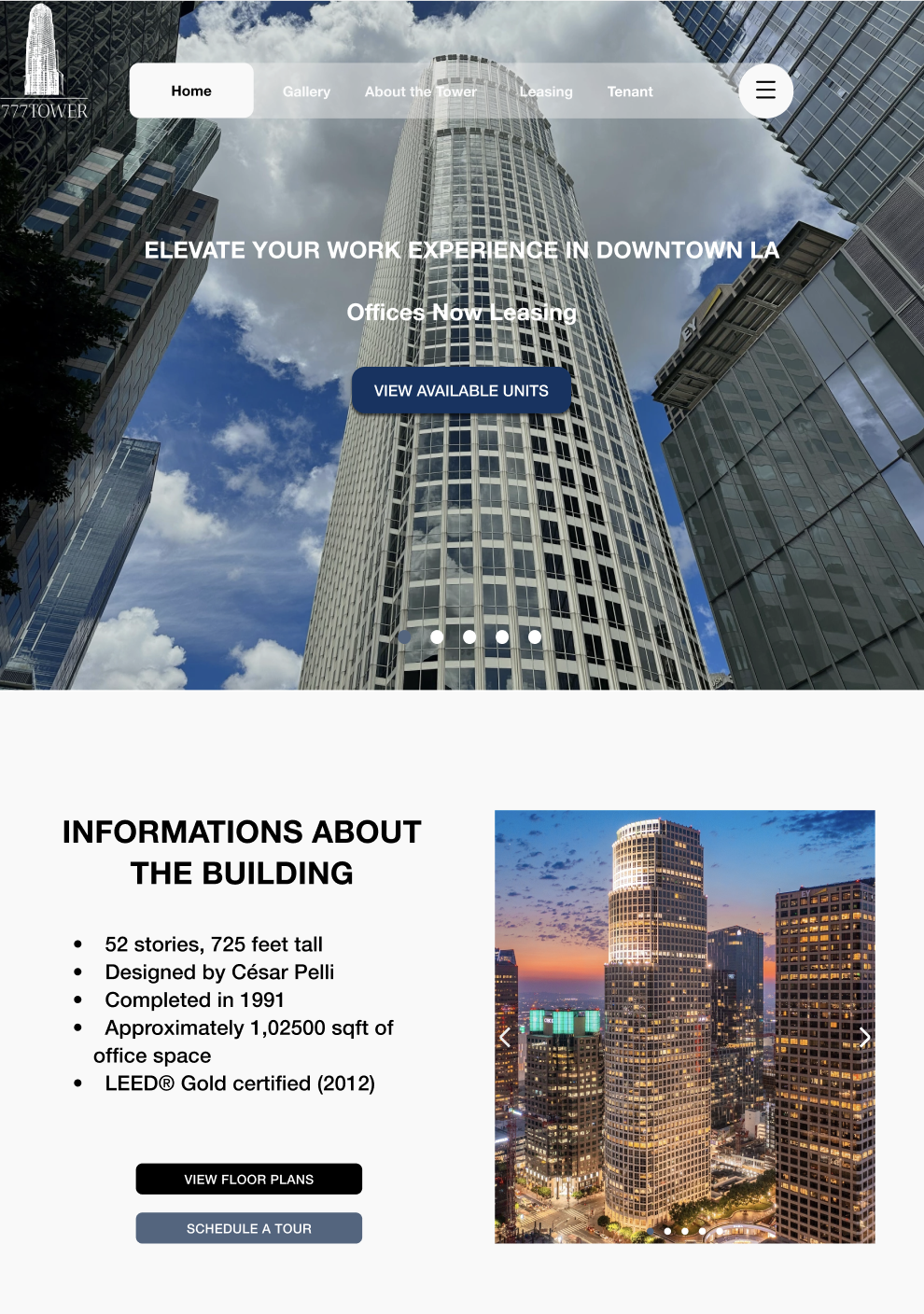
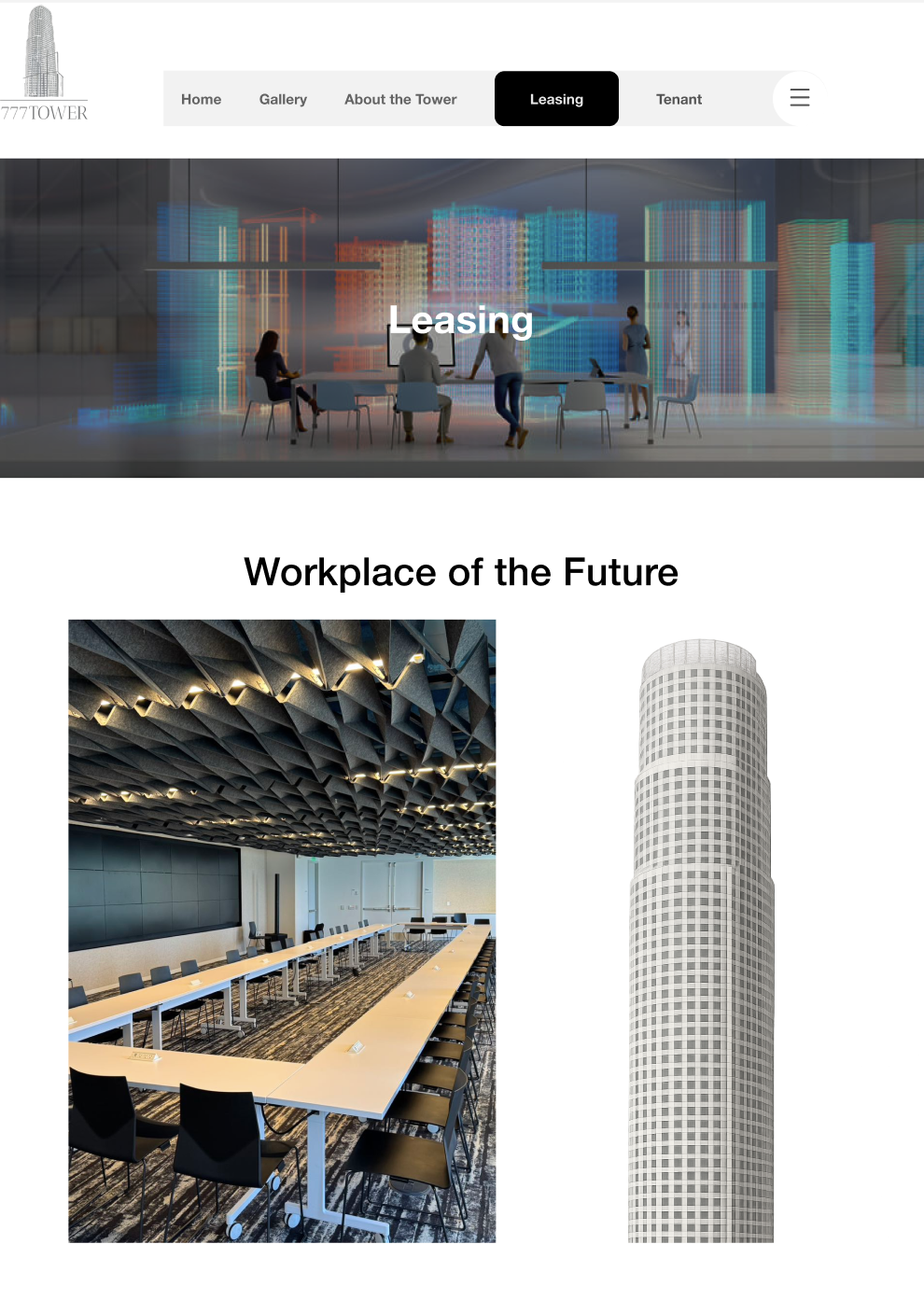
777 Tower Los Angeles

UI UX Design
Project Overview


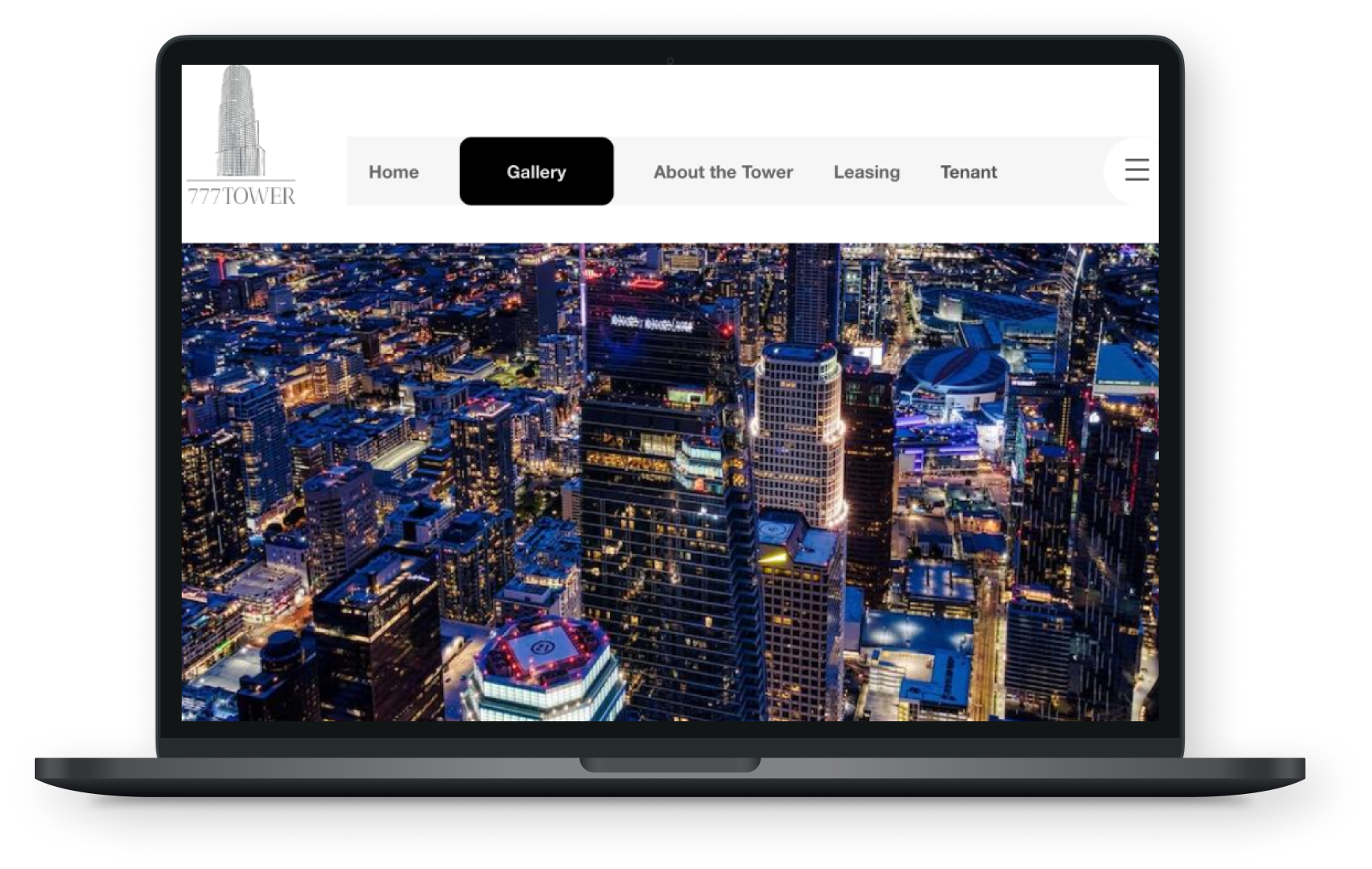
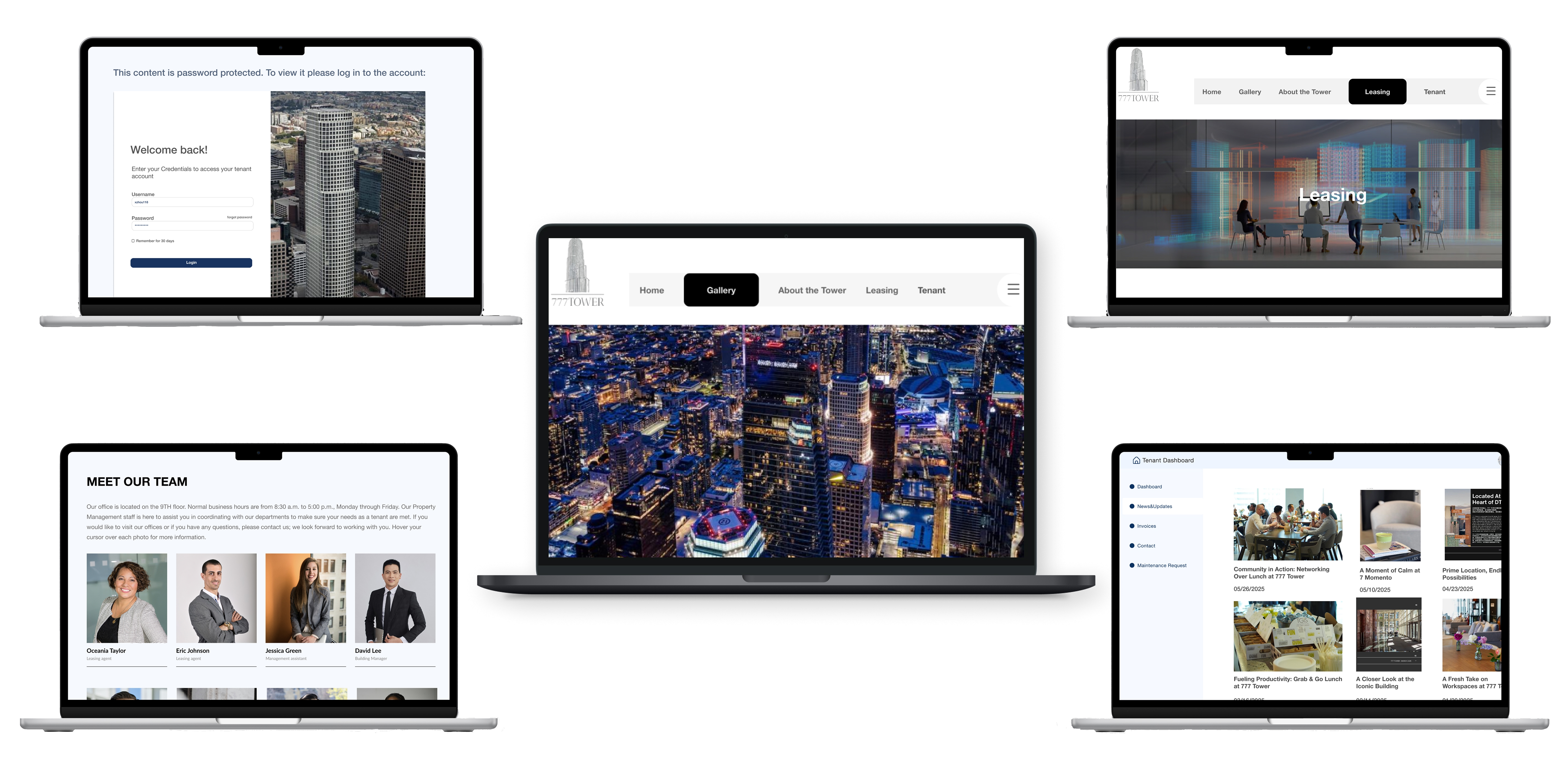
The goal of this project was to design a responsive website for 777 Tower Los Angeles that reflects the building’s sophistication and functionality while simplifying the leasing experience. The redesigned platform aims to better showcase the tower’s premium amenities, flexible office solutions, and vibrant community. By combining high-quality visuals, interactive elements, and clear navigation, the project positions 777 Tower as a leading destination for professionals and businesses in downtown LA.


My Contributions
Role: UX Researcher, UX/UI designer
Toolkit: Figma, maze, FigJam, Pencil and paper
The users
- Prospective Tenants in Los Angeles.
- Real Estate Brokers & Agents
- Urban Professionals & Visitors
- Investors & Stakeholders:

Challenge  and results

The primary challenge was that 777 Tower lacked a strong digital presence, making it difficult for visitors and even tenants to find reliable information about the building online. Many interviewees were unaware of an official website, struggled with navigation and parking, and felt the building was exclusive to tenants. Additionally, event participation was low due to poor communication channels. Through user interviews, key needs emerged: an interactive map, self-service options, and a mobile-friendly platform with real-time updates. As a result, the responsive website redesign focused on improving accessibility, visibility, and engagement, transforming the site into a practical tool that supports both tenant experience and visitor outreach.

Enhancing Visitor Navigation

Focused on creating a responsive digital experience that helps visitors easily find offices, amenities, and parking through an interactive map and clear floor directory. The goal is to make navigation effortless and consistent across all devices.

Improving Tenant Experience

Designed a centralized platform for tenants to access services, book amenities, and receive updates. This enhances communication with management and builds a more connected tenant community.

Showcasing Brand Identity

Developed a modern visual identity that reflects the tower’s luxury and creativity. The design highlights its architecture, art gallery, and community spaces to position 777 Tower as both a workplace and cultural landmark.

UX Research

Background


777 Tower Los Angeles is a landmark DTLA high-rise known for its premium offices and creative community. This project focused on redesigning its digital presence with a responsive website that reflects the building’s modern identity and improves usability for both visitors and tenants. Through user research and tenant interviews, the design balances aesthetics and functionality—bringing the building’s sophistication into a seamless online experience.

Methodologies


- Competitor Analysis

- User Interviews

- Affinity Mapping

- Persona Development


Project Goal

The goal of the 777 Tower project was to design a responsive and user-friendly website that enhances both visitor navigation and tenant engagement while reflecting the building’s modern, high-end brand identity. By integrating clear wayfinding, accessible service features, and visually cohesive design elements, the project aimed to create a seamless digital experience that mirrors the sophistication and community spirit of 777 Tower Los Angeles.

Competitive Analysis

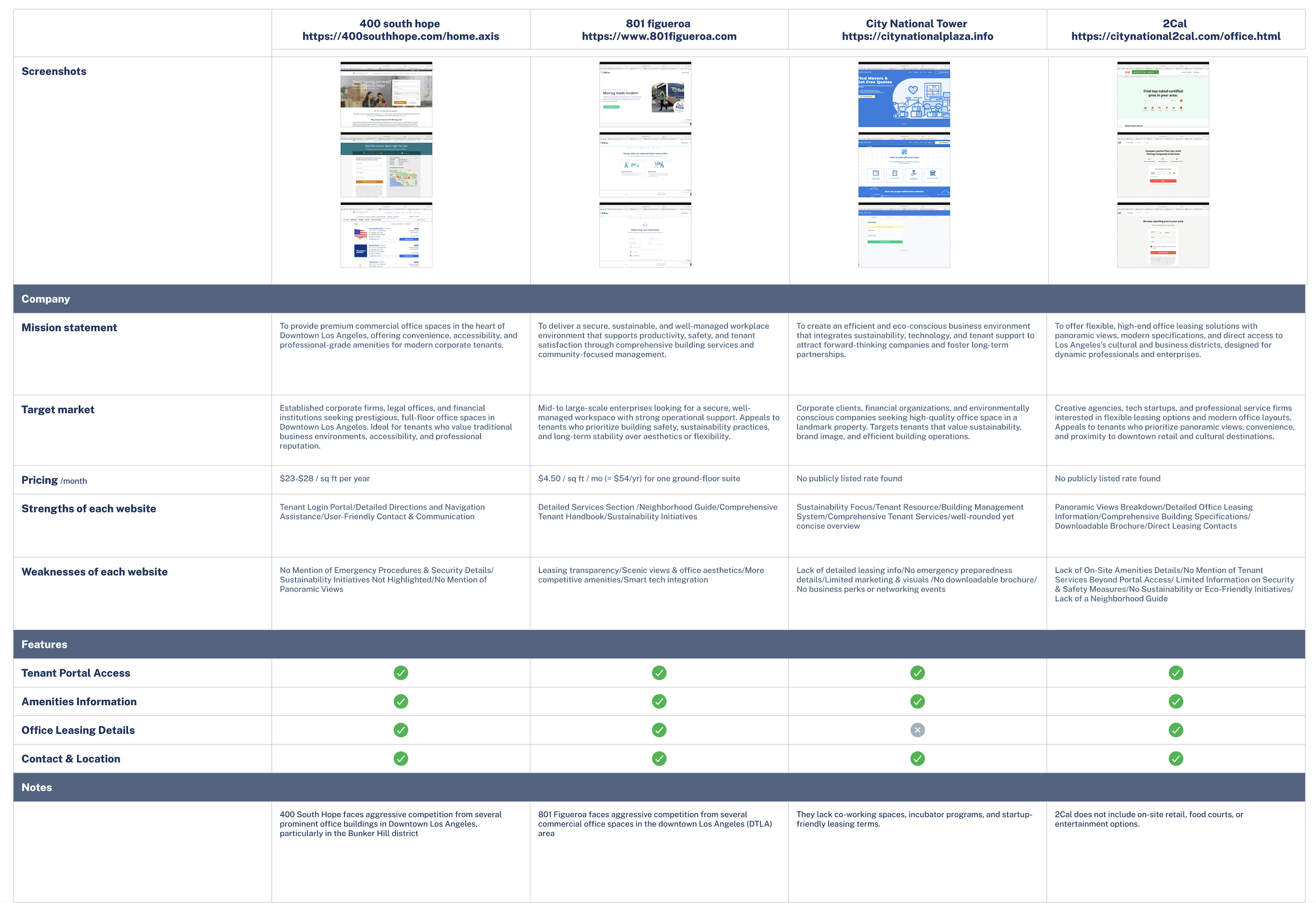
To understand the commercial real estate landscape in Downtown Los Angeles, I analyzed four major competitors—400 South Hope, 801 Figueroa, City National Tower, and 2Cal, focusing on their mission, target market, pricing, strengths, weaknesses, and key features to identify design opportunities for 777 Tower’s new digital experience.
Check in Figma

Strengths observed

The four competitors share strong professional standards and tenant-focused design. 400 South Hope offers easy navigation and clear communication tools, while 801 Figueroa stands out for its detailed tenant handbook and sustainability efforts. City National Tower emphasizes eco-friendly management and organized tenant resources, and 2Cal highlights transparent leasing information and panoramic building visuals. Together, they demonstrate a focus on accessibility, service quality, and building credibility.

Weaknesses Identified

While each competitor offers strong fundamentals, several weaknesses were identified. 400 South Hope lacks sustainability focus and emergency preparedness details. 801 Figueroa’s interface feels outdated and lacks transparency in leasing information. City National Tower offers limited visuals, weak marketing, and minimal engagement features. 2Cal, despite its strong leasing data, misses community-driven elements, sustainability efforts, and safety information. Overall, most competitors fall short in creating an interactive, engaging, and modern digital experience for tenants and visitors.

Key Insight

The competitor analysis shows that while all four buildings provide basic leasing and tenant features, most lack engaging, modern digital experiences. 801 Figueroa stands out for its sustainability focus, and 2Cal for its leasing transparency. However, others fall short in user engagement and visual design. This gap presents an opportunity for 777 Tower to differentiate through a more interactive, brand-driven, and user-centered website experience.

User Interviews

Overview

- 5 participants (visitors, tenants, and management)
- Age between 24–35 years oldVoice/video interviews conducted in person and online
- Each session lasted about 20–30 minutesParticipants included tenants, nearby professionals, and the building’s owner representative
- Focused on understanding navigation issues, digital needs, and brand perception of 777 Tower

Conducting user interviews

Pain Points

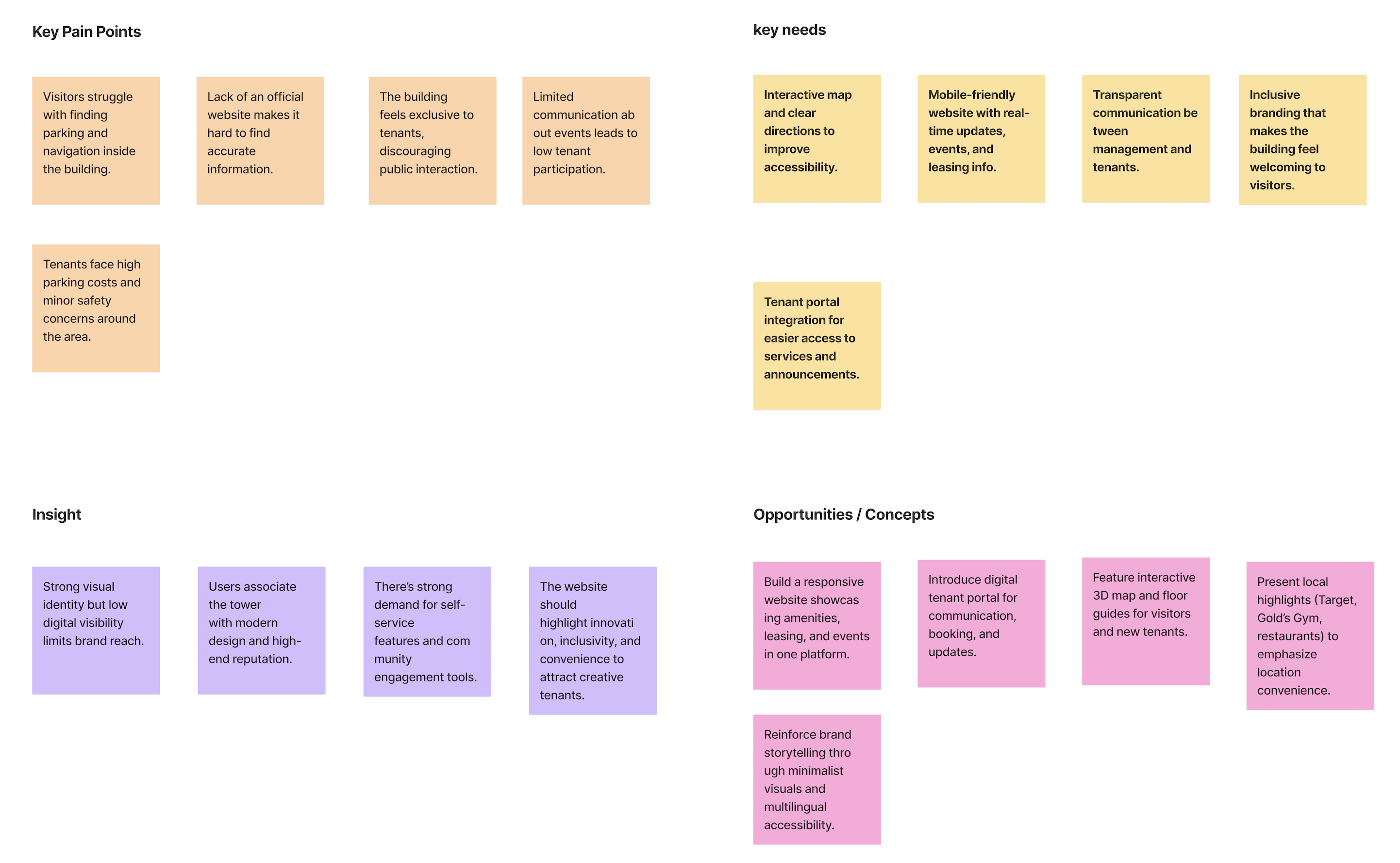
- Visitors and tenants struggle to find parking and clear navigation inside and around the building.
- Lack of an official website causes confusion and weakens digital visibility.
- The building feels exclusive to tenants, making it less welcoming for guests and potential clients.
- Poor communication about internal events leads to low engagement from current tenants.
- High parking costs and safety concerns around the building impact tenant satisfaction.

Positive Takeaway

- Users described the tower as modern, high-end, and well-maintained.
- Strong appreciation for the friendly management team and improving community atmosphere.
- Broad support for adding interactive maps, event updates, and self-service tools online.
- Both tenants and management are open to building a more inclusive and community-driven image.
- Management is actively investing in new amenities like shared office floors and an art gallery.

Insights

- There’s a strong need for a mobile-friendly, interactive website that reflects the building’s modern identity.
- Users want clear navigation, event access, and leasing information integrated in one place.
- The new website should highlight innovation, inclusivity, and convenience, aligning with 777 Tower’s vision to attract startups and creative professionals.
- Emphasizing community events and visual storytelling will help shift perception from a corporate tower to a vibrant, collaborative workspace.

Affinity Mapping

Check in Figma

Persona Development

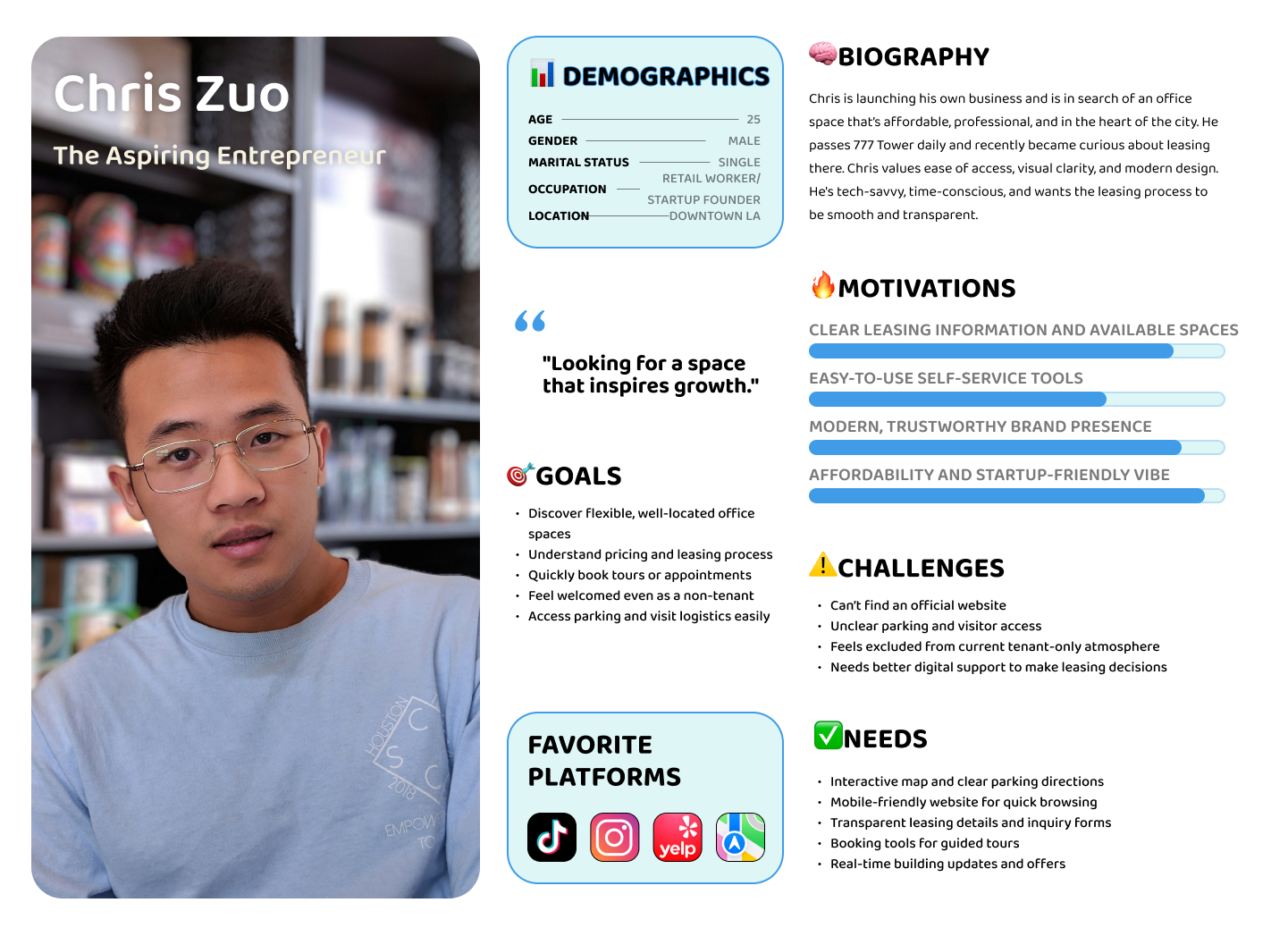
Persona #1

Name / Age / Role:
Chris Zuo, 25, Startup Founder
Location: Downtown Los Angeles
Status: Single, launching a new business
Motivations: Searching for a modern, affordable office space that supports growth and professionalism.
Needs: Clear leasing info, self-service tools, and parking guidance.
Goals: Find flexible workspace options, book tours easily, and feel welcomed as a non-tenant.
Problems: Can’t find official website; unclear parking; limited digital tools for leasing decisions.
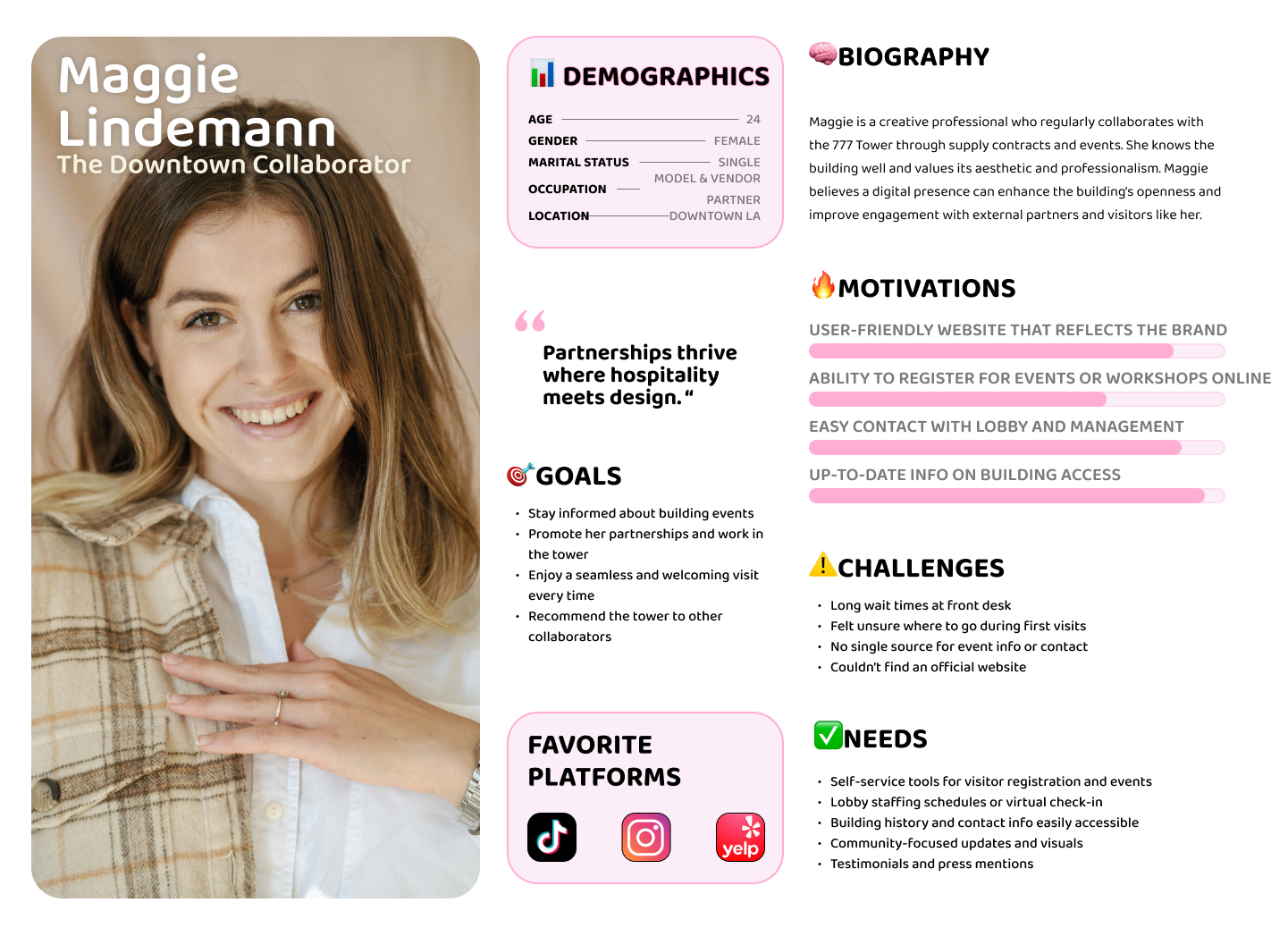
Persona #2

Name / Age / Role:
Maggie Lindemann, 24, Model & Vendor Partner
Location: Downtown Los Angeles
Status: Single, young creative professional
Motivations: Values collaboration, community, and design-driven spaces for business partnerships.
Needs: Easy event registration, accessible building info, and consistent communication.
Goals: Stay updated on building events, strengthen brand partnerships, and enjoy seamless visits.
Problems: Long wait times at reception; unclear visitor process; no central source for updates or event info.

Project Goals

The 777 Tower project aims to create a modern, user-centered website that bridges business objectives with user needs. It focuses on increasing leasing conversions, elevating brand perception, and improving tenant engagement through an efficient, visually appealing digital experience. By offering clear leasing information, interactive navigation, and real-time updates, the project enhances accessibility for tenants and visitors while promoting 777 Tower’s identity as a creative, community-driven workplace.

Check in figma

Features Roadmap

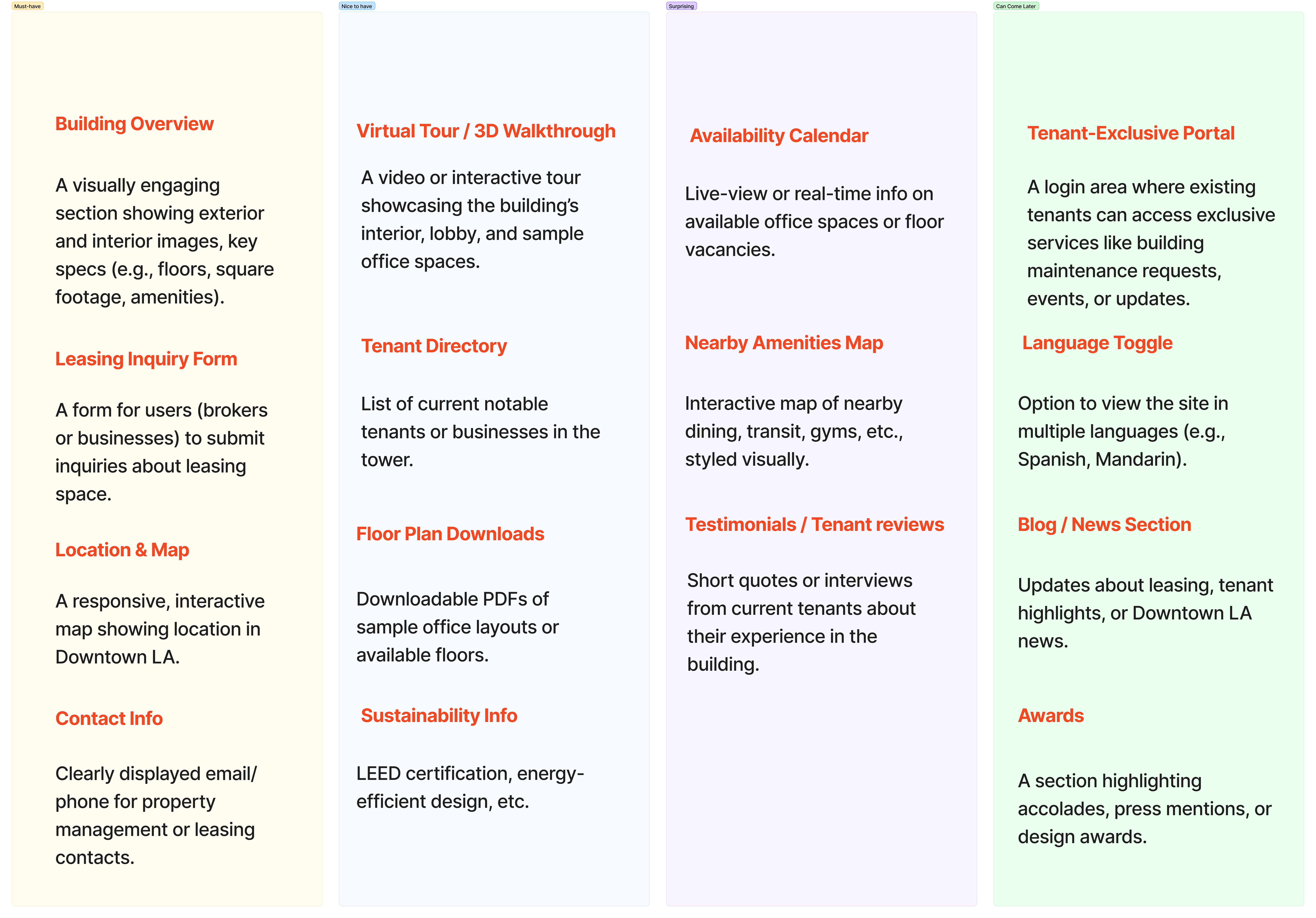
The 777 Tower feature map outlines a user-focused website that combines leasing efficiency with engaging digital tools. Core features include an interactive building overview, leasing inquiry form, and location map, complemented by advanced options like virtual tours, downloadable floor plans, and a tenant directory. Users can explore nearby amenities, check availability, and read tenant testimonials, while tenants gain access to exclusive portals, multilingual support, and regular news or event updates, creating a connected, transparent, and modern online experience.
Check in Figma

Information architecture

The 777 Tower sitemap organizes the website into four main sections—Homepage, About the Tower, Gallery/Virtual Tour, and Community/Tenants—to ensure clear navigation and accessibility. It highlights key features such as leasing inquiries, availability calendars, floor plans, and interactive maps, while offering sections for sustainability, amenities, and tenant engagement. The structure balances functionality and storytelling, helping users explore leasing options, building details, and community updates in a cohesive, user-friendly flow.
View in figma

Sitemap

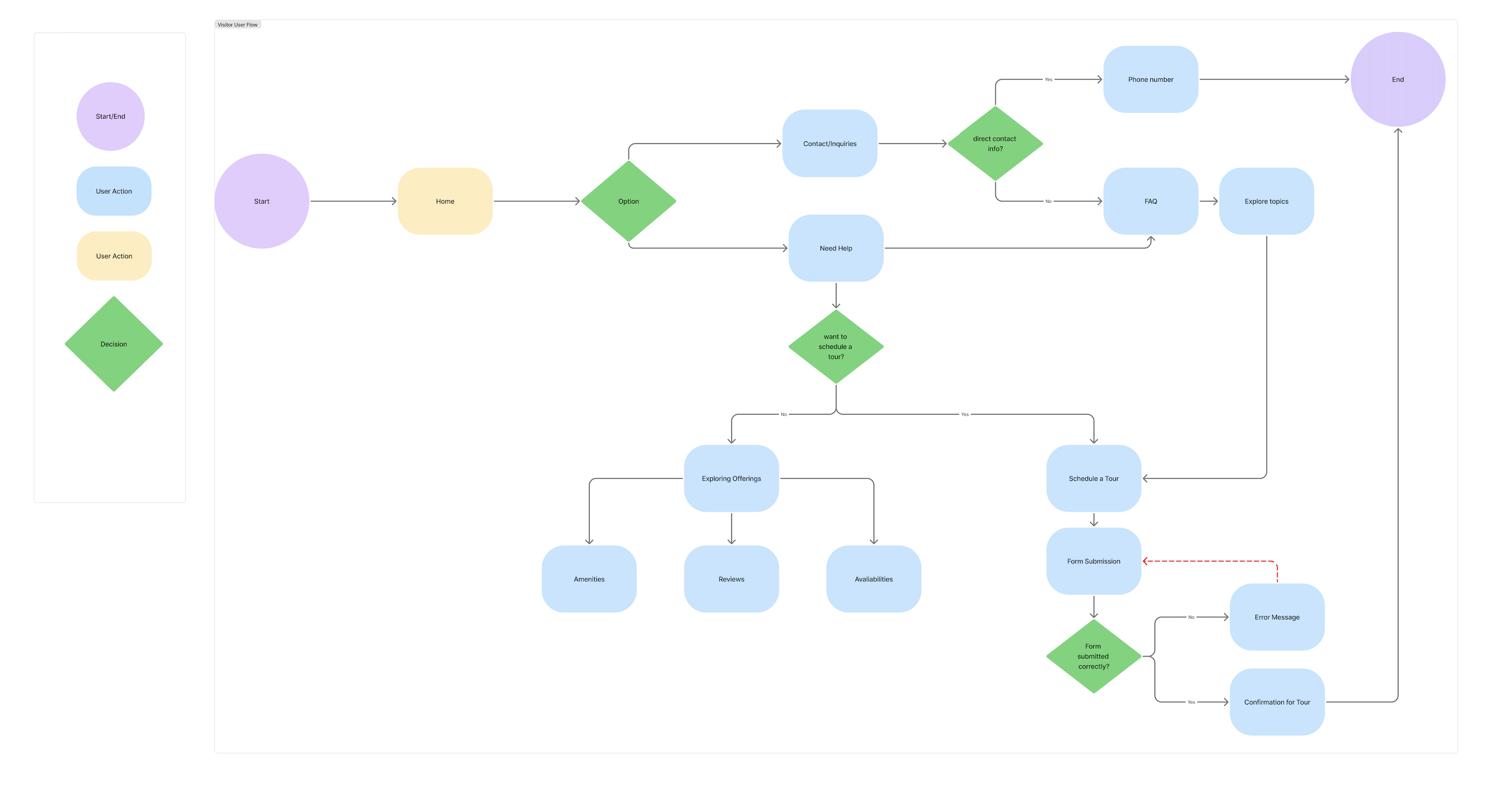
The 777 Tower visitor user flow outlines a seamless journey from homepage entry to tour confirmation. Users can explore building information, amenities, and reviews or directly contact management through inquiry options. If they choose to schedule a tour, they complete a simple submission process with clear feedback for success or errors. The flow prioritizes intuitive navigation, helpful prompts, and quick access to key actions—enhancing both user convenience and conversion efficiency.
View in figma

User Flow

Click to view in Figma

Wireframes

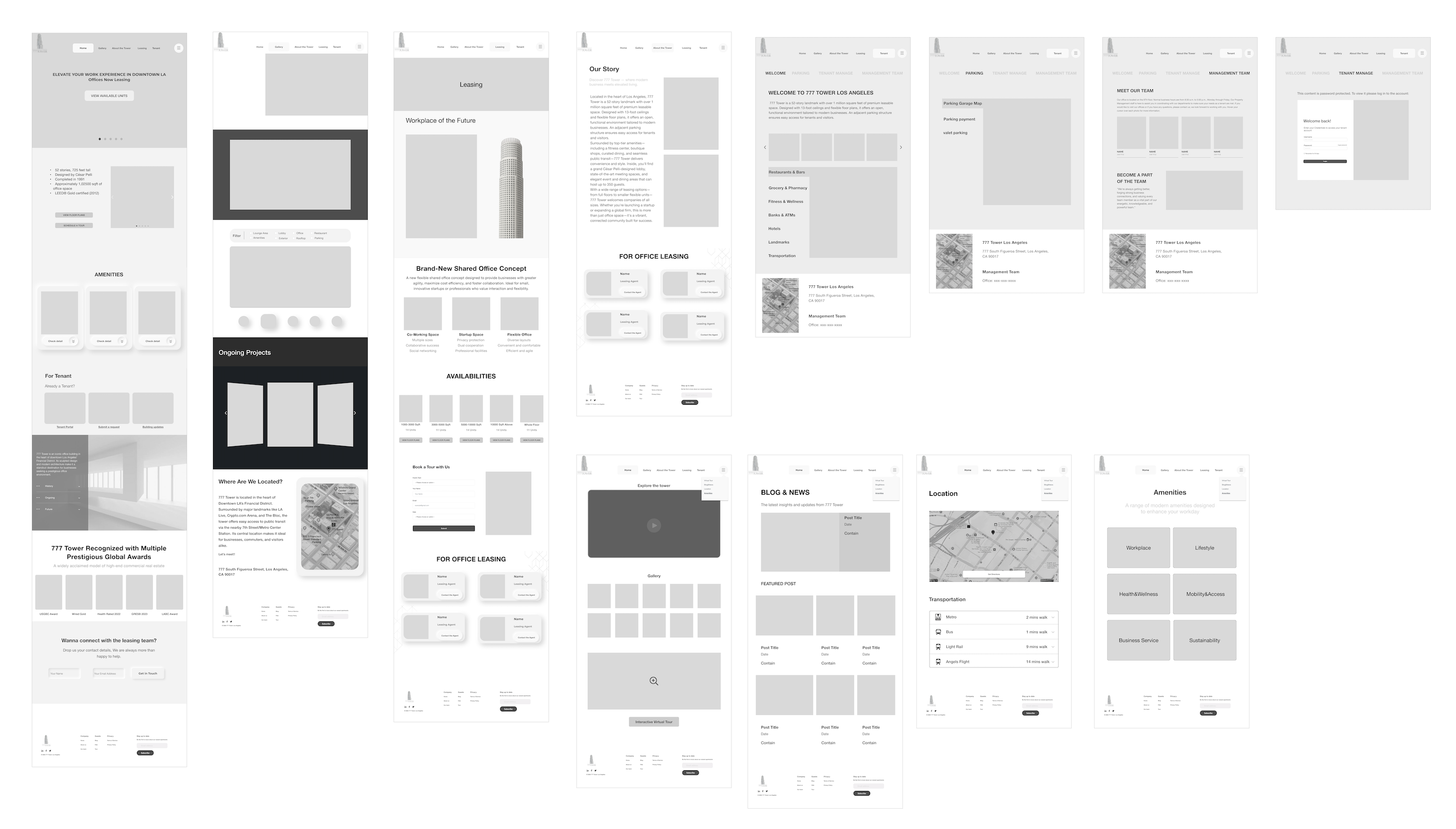
I created the low-fidelity wireframes to establish a clear and intuitive structure for the 777 Tower website. My goal was to design a seamless navigation system that helps users easily explore leasing options, amenities, and location details while maintaining a consistent visual hierarchy. I focused on creating a simple, functional layout that supports both tenants and visitors—making actions like booking tours or contacting management effortless. This early stage allowed me to prioritize usability and flow before moving into visual refinement and branding.
Click to view in Figma

Brand Identity

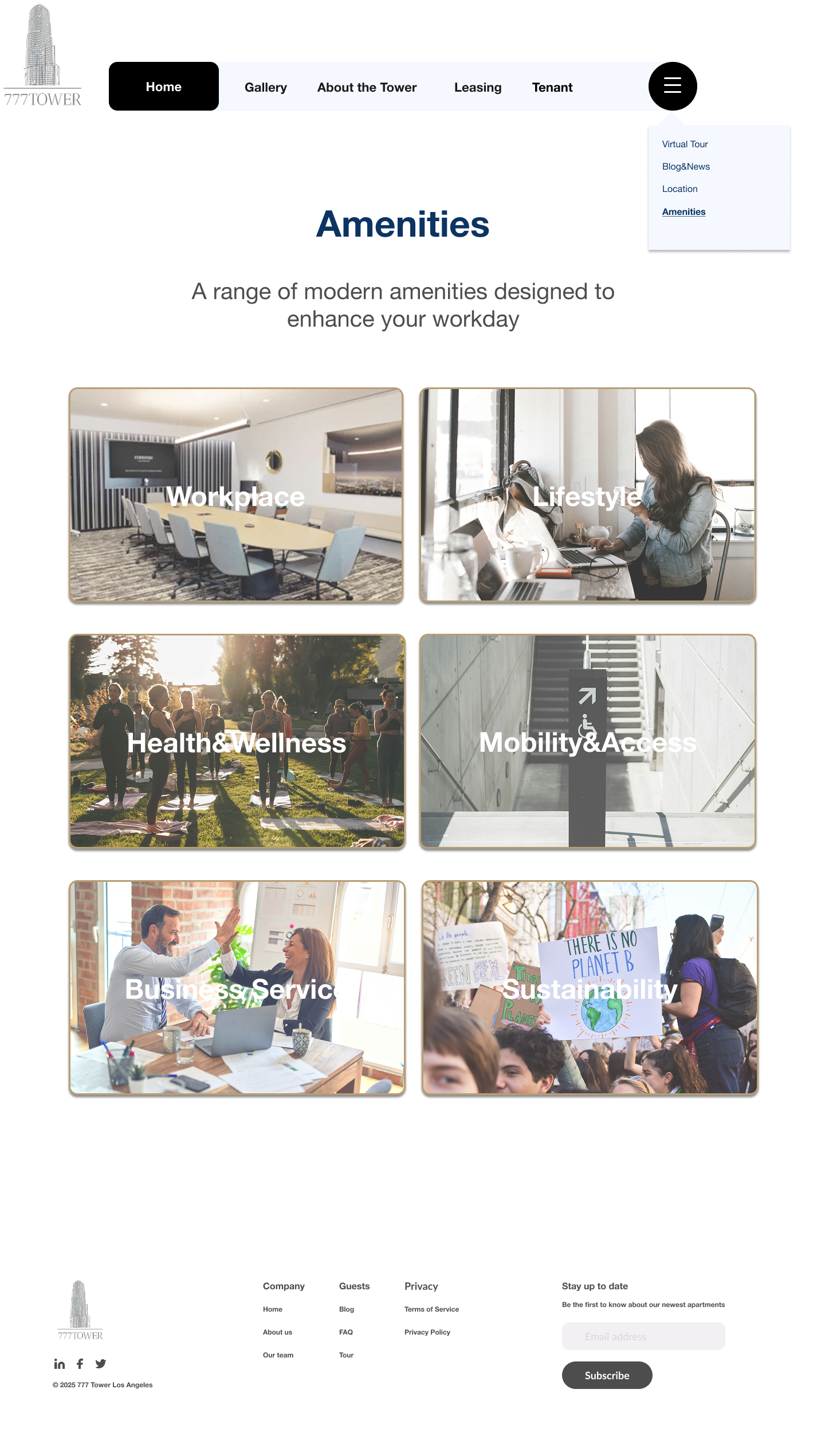
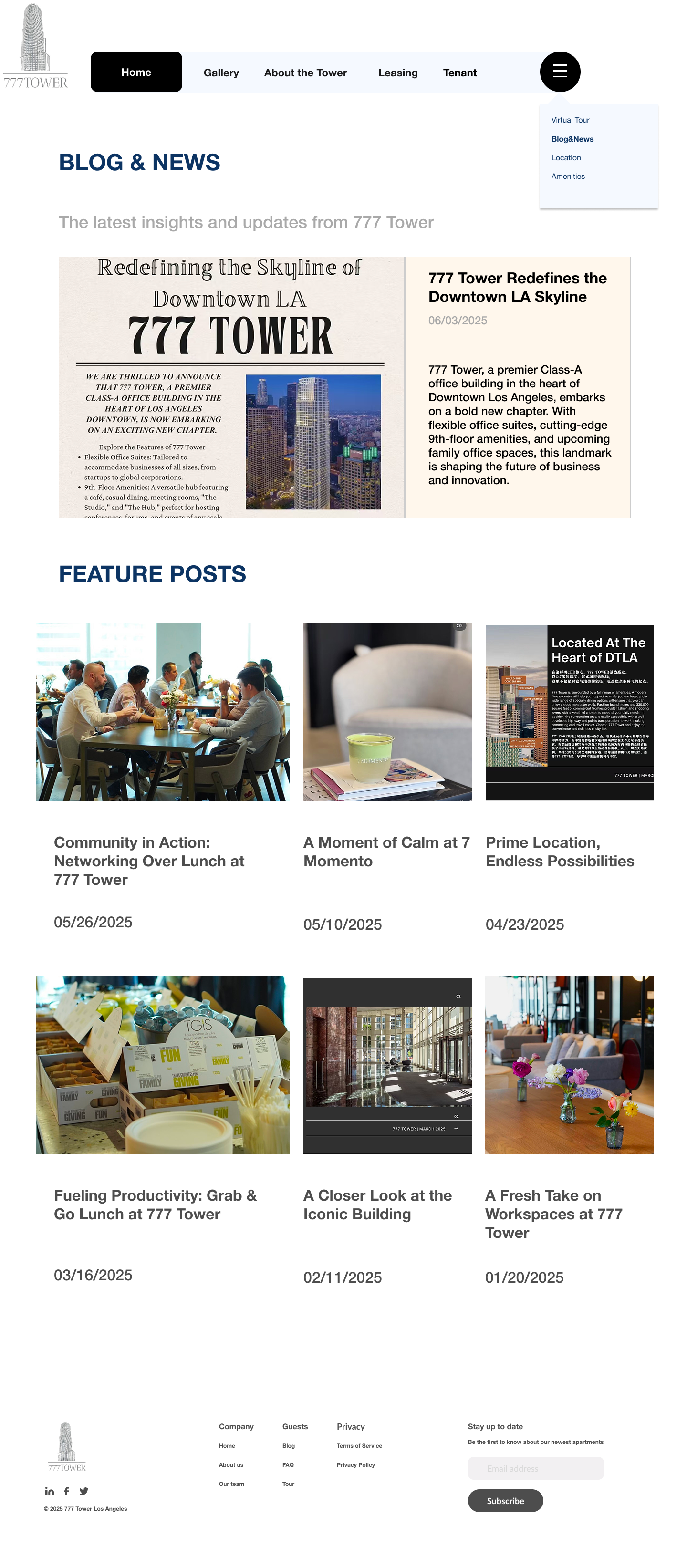
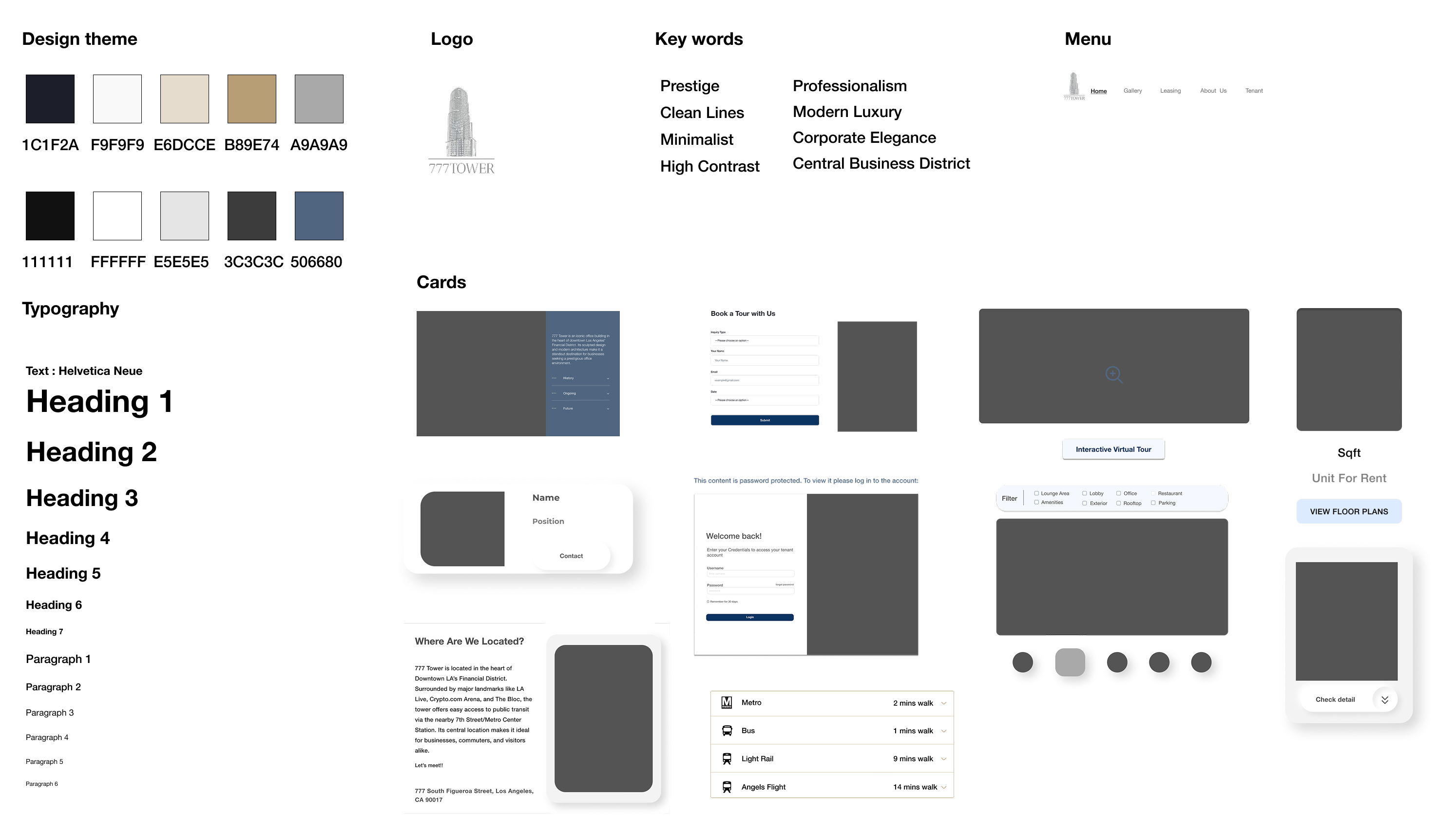
Since the 777 Tower already had an established logo and core branding, my role focused on expanding and adapting the existing identity into a cohesive digital experience. I applied the building’s signature color palette (aluminum and white) and minimalist, professional tone consistently across the website to maintain brand integrity. The goal was to translate the physical elegance and prestige of the tower into a modern online presence, using clean typography, generous spacing, and refined visual hierarchy to reflect its premium character.

UI Components

The Movideo UI component library establishes a consistent visual system across the platform. Built with modular buttons, icons, cards, and navigation elements, it uses a vibrant orange accent to convey energy and motion while maintaining clarity, balance, and scalability.
High-fidelity key-screens

These high-fidelity key screens bring Movideo’s concept to life through warm tones, clear hierarchy, and intuitive navigation. The design highlights the seamless flow between watching packing tutorials and booking professional services — reflecting the brand’s mission to connect learning with real-world action. Each screen emphasizes clarity, approachability, and consistency with the Movideo design system.
click to view in Figma

Usability Test

Outcome

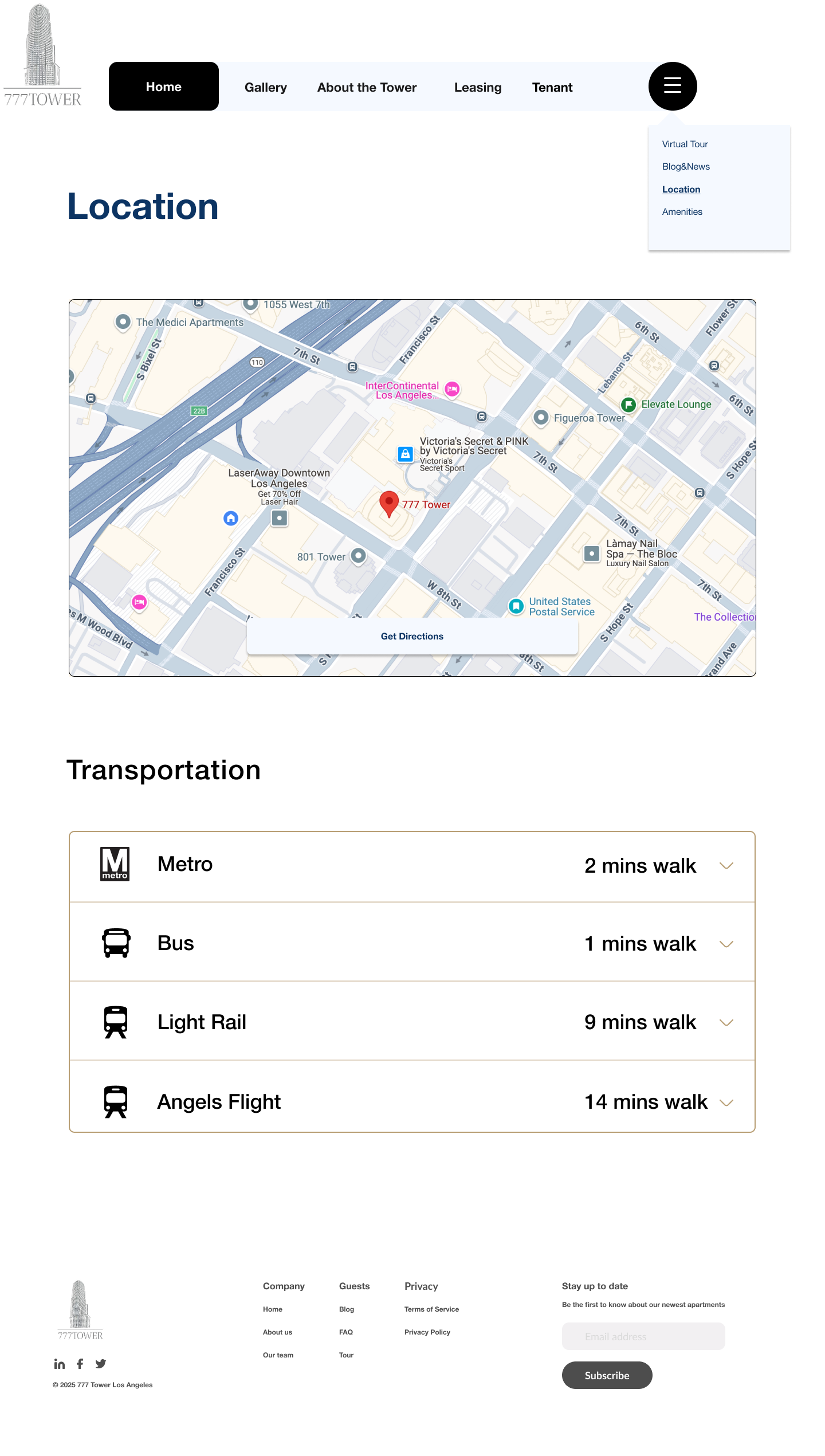
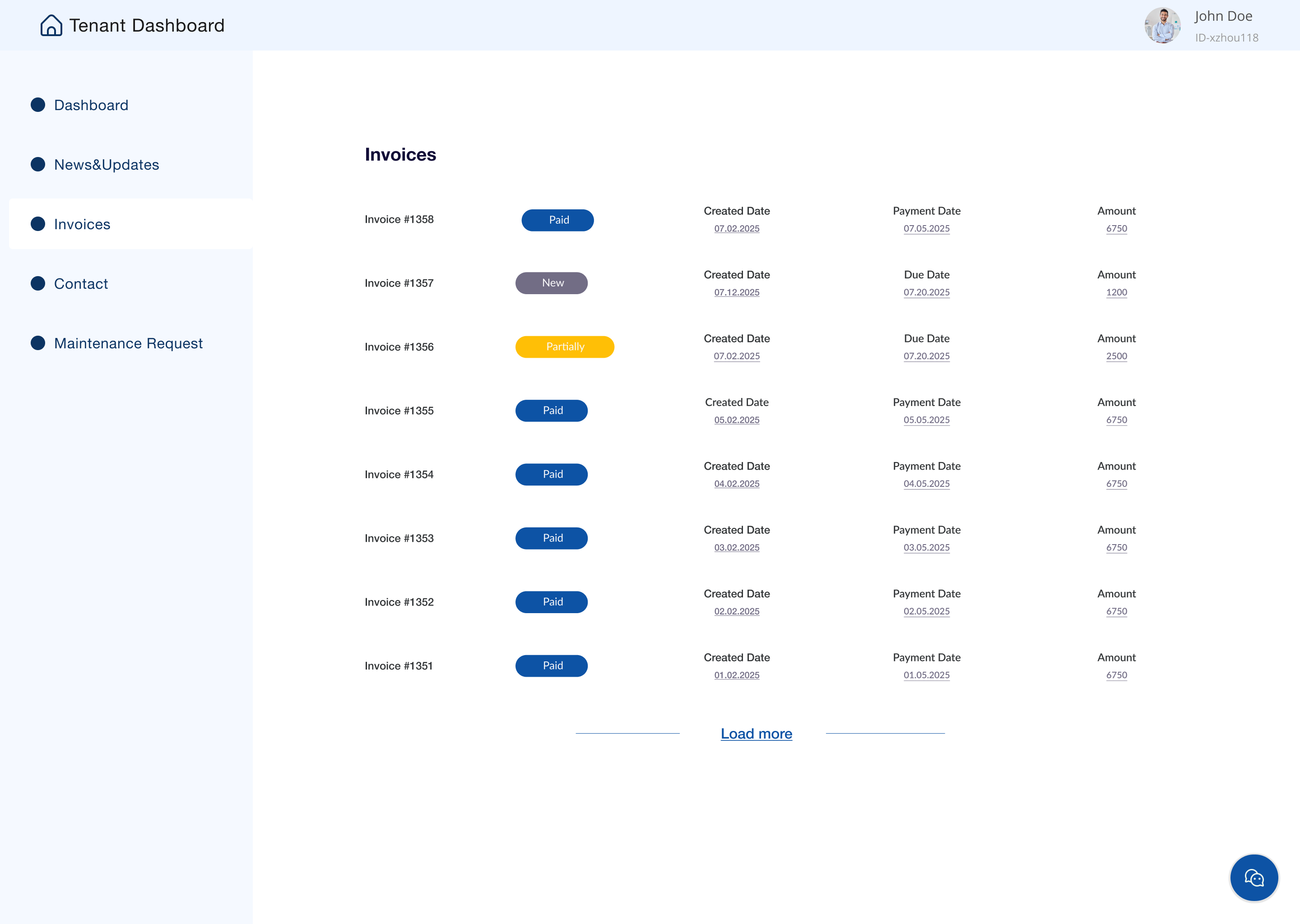
I conducted usability testing with five participants to evaluate the functionality and clarity of the 777 Tower website. All users successfully completed key tasks—exploring leasing options, finding nearby restaurants and parking, and accessing the tenant portal to submit maintenance request—within 15 to 20 minutes.

The feedback was overwhelmingly positive; participants described the design as clean, modern, and intuitive. However, several users mentioned that the tenant portal could be more visible and that mobile spacing needed refinement. Based on these insights, I plan to adjust the portal’s placement, improve hierarchy in the contact section, and optimize the mobile layout to ensure a smoother and more engaging user experience.

Iterations

Thanks to usability tests, I had done some iterations for the final high fidelity prototype
Change the Dropdown color theme to match the overall color theme
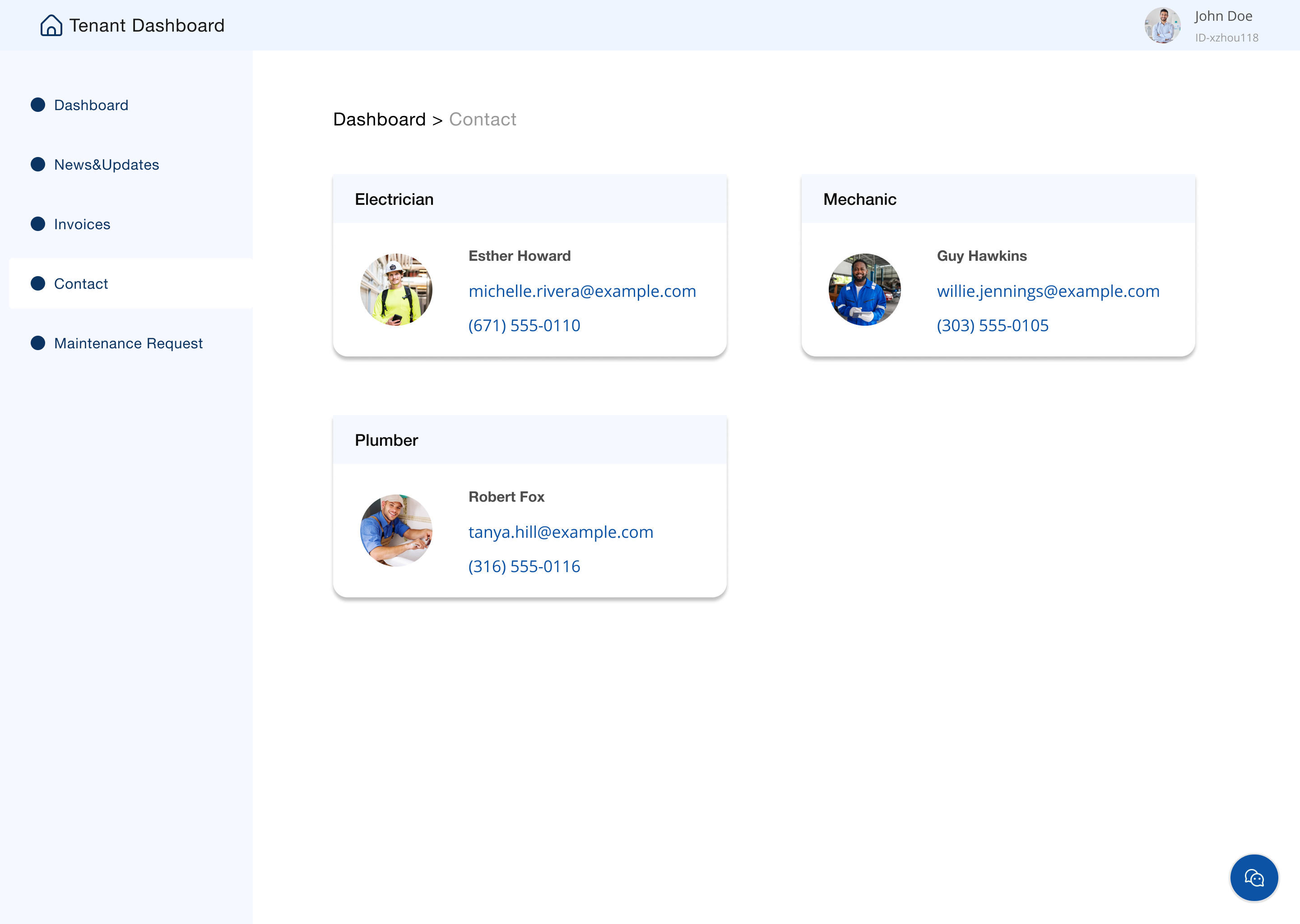
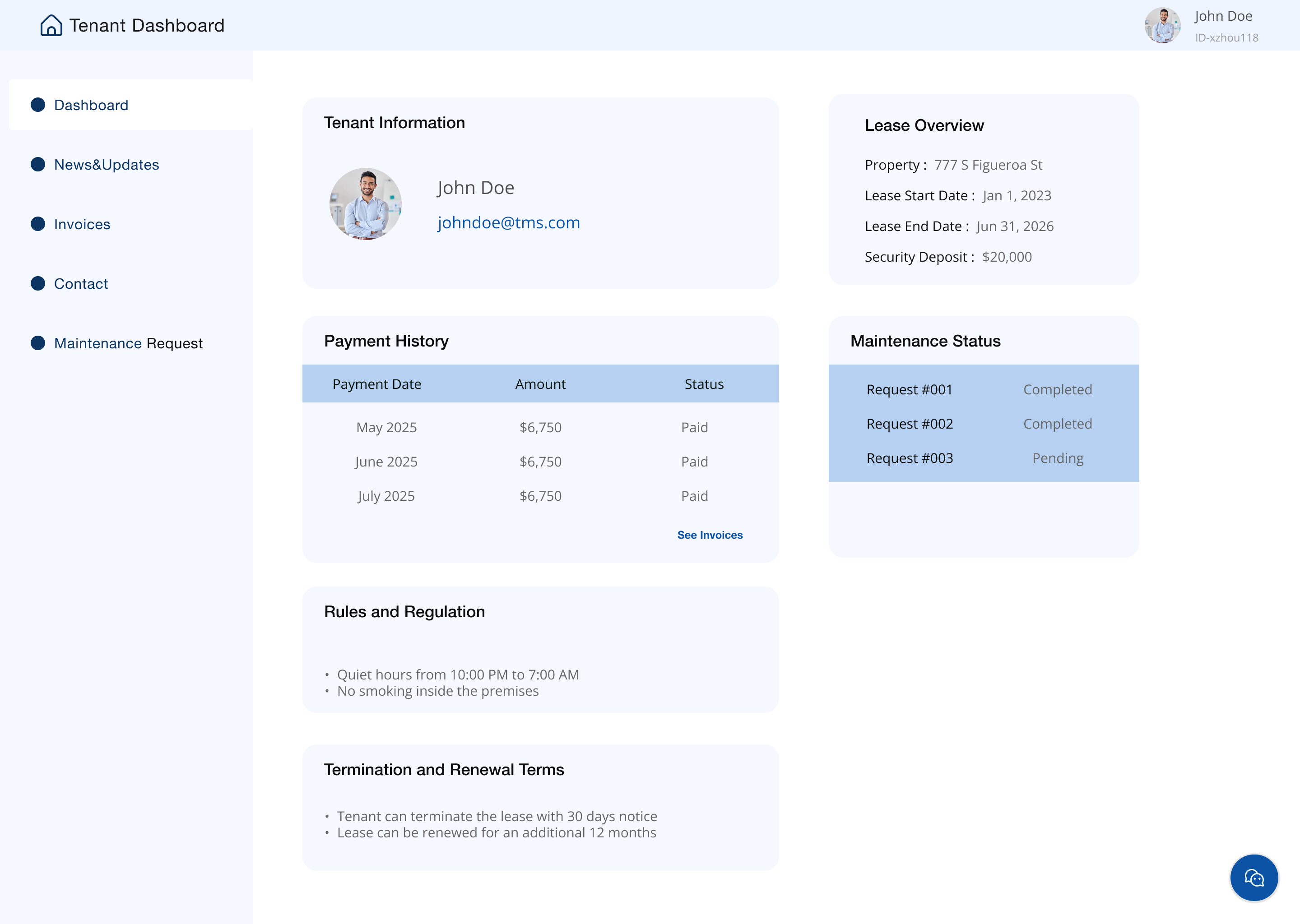
Add the tenant portal  in order to provide easy access to services, resources and support that improve daily tenant experience.
Adjust the background to make the texts pop up
View full prototype

Key takeaways

Challenge

One of the main challenges of the 777 Tower project was transforming a traditional commercial property into a modern, user-centered digital experience while working within an existing brand identity. Balancing the needs of multiple audiences—tenants, visitors, and management—required thoughtful information architecture and clear hierarchy. Ensuring the design felt professional yet welcoming was also key to reflecting the building’s new vision as a creative, community-driven workspace.

Lessons learned

Through this project, I learned the importance of designing with both business goals and user needs in mind. Usability testing reinforced how small interface adjustments, like clearer hierarchy and improved mobile spacing, can greatly enhance overall user experience. I also realized how valuable collaboration and feedback are when aligning visual design with a brand’s existing identity and evolving purpose.